
Being an architecture student, I remember the time when I spent hours sketching, building physical models, and whatnot. With those tactile processes, which were invaluable as compared to today’s education, which has transformed with mobile apps, enabling flexibility, collaboration, and efficiency. With these mobile apps, architecture is not limited to drafting tables; it is now a digital practice, where ideas are modelled, shared, and critiqued in real-time with a single mobile app.
The right mobile apps make it, with no stress, but a streamlined workflow. These mobile apps are particularly valuable because of their accessibility, as they are available on phone or tablet, which allows them to move beyond the confines of studios. Here in this article, I am sharing some apps that are necessary today.
Morpholio Trace
https://www.morpholioapps.com/trace

Morpholio Trace @morpholiotrace.com
For many, sketching is the basis to start, the process where we put our thoughts or ideas with lines or shapes. Morpholio Trace is the perfect app to start with for those who thrive on sketches that need layering and precision. This app allows you to trace images, CAD drawings, or photos, which makes it ideal for iterative designs. Not like paper, it allows you to build layers, change colours, and also precision.
I see students during site visits, who snap a photo and open trace, and then they sketch ideas which could give your thought to be in the surrounding and contextual response. It brings together the analogue of drawing and technology, which the studios could not provide.
Concepts
Developing concepts with Concept
Another sketching app, this offers an infinite drawing canvas with vector-based precision. Unlike Morpholio Trace, which leans toward architectural overlays, Concepts shines in conceptual explorations and early ideation stages.
Its infinite canvas enables free-flowing ideas where you can zoom in endlessly without losing quality, allowing diagrams, bubble charts, or even detailed sections to coexist on one sheet. Students often find it useful for design development, where diagrams and details must be connected holistically.
For those who prefer stylus work on iPads, Concepts feels remarkably intuitive. The ability to export files in multiple formats, from vector PDFs to high-resolution images which makes it a strong tool for studio submissions and portfolios. It embodies programmatic fluidity: one drawing can evolve into multiple outputs.
Shapr3D – 3D Modelling on the Go
While sketching is vital, no architecture education is complete without 3D exploration. Shapr3D stands out as one of the most powerful modelling apps optimised for tablets. Built on the same engine as SolidWorks, it allows parametric modelling with a simple, touch-based interface.
For students who might not always have access to heavy desktop software, Shapr3D enables quick volumetric studies, massing models, and even detailed construction elements. Imagine being on a site, pulling out your iPad, and creating a 3D representation of an idea in minutes.
What’s most striking is its integration with desktop CAD and BIM tools, allowing students to start a design on mobile and refine it later in Revit or Rhino. It makes digital modelling less intimidating and more iterative, an essential skill for young designers learning to balance precision with creativity.
Autodesk FormIt
For those already immersed in the BIM ecosystem, Autodesk FormIt is a must-have. The mobile-friendly app, similar to Revit and FormIt, is particularly suited for early-stage design and energy analysis.
Students can model with intuitive gestures, apply real-world materials, and even analyse solar performance directly within the app. This sustainability integration is crucial in today’s curriculum, where climate-conscious design is no longer optional but necessary.
I often recommend FormIt to students working on urban-scale projects, and the ability to import site context and integrate with Revit later ensures that conceptual sketches don’t get lost but instead evolve into buildable models. It’s a bridge between the freedom of hand sketching and the rigour of professional BIM workflows.
ARki (Augmented Reality for Design Visualisation)
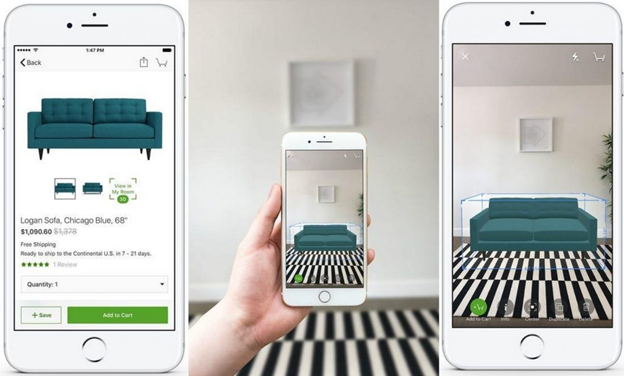
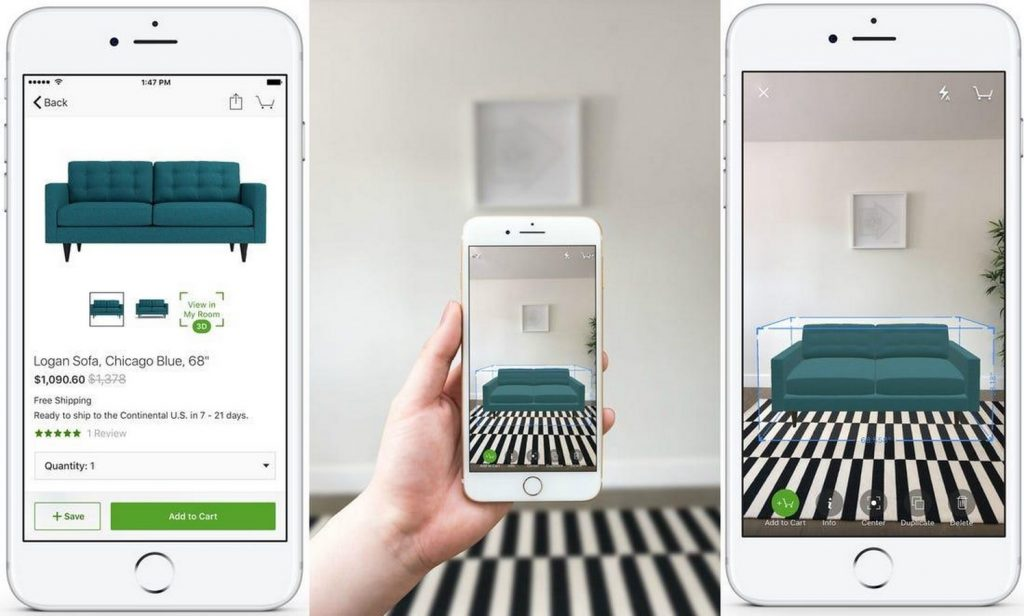
Nothing excites students more than seeing a design come alive in space. ARki allows just that: augmented reality visualisations of 3D models. By uploading models from SketchUp, Revit, or Rhino, students can walk around their projects virtually, scale them up to life size, and even test spatial experiences in real-time.
This app is transformative in crit rooms. Instead of pinning 2D plans on the wall, students can invite reviewers to walk around their digital building with a tablet. It bridges the communication gap between technical drawings and lived experience.
As Juhani Pallasmaa (2012) notes, architecture is not just about the eye but about the body’s engagement with space. ARki makes this tangible, allowing students to experience scale, proportion, and light before construction.
MagicPlan (Precision Site Measurements)
Fieldwork is an integral part of architectural education, but carrying measuring tapes and manually drawing site plans can be tedious. MagicPlan simplifies this by using your phone’s camera and sensors to generate floor plans and measurements instantly.
The app lets you walk around a room, capture its geometry, and export accurate drawings. For students working on adaptive reuse or documentation projects, this saves hours of repetitive labour (MagicPlan, 2022).
Beyond measurement, MagicPlan also integrates annotations, cost estimations, and object libraries, making it versatile for both academic exercises and real-world applications. It reflects the shift in architectural education towards efficient, technology-supported workflows that mirror professional practice.
Notion
While design is at the heart of architecture, organisation is the scaffolding that holds it all together. Notion has become a go-to productivity app for students balancing multiple studio deadlines, readings, and personal projects.
With its flexible databases, kanban boards, and note-taking features, Notion enables architecture students to structure their design process, track submissions, and even maintain portfolios (Notion, 2023). Unlike traditional to-do lists, its customisation fosters creativity for students; they can create digital pinboards, mood boards, and collaborative workspaces.
Studio life can often feel chaotic, but Notion instils a sense of control. It is not just about managing tasks but about shaping one’s learning journey, an underrated but critical aspect of becoming an architect.
Miro
Architecture education is deeply collaborative, from group projects to design critiques. Miro, a digital whiteboard app, has become indispensable for remote or hybrid learning environments.
Students can brainstorm ideas, pin references, map out design strategies, and co-create diagrams in real time. Its infinite canvas mirrors the physical design studio but expands it beyond geographical limits (Miro, 2022).
In a globalised profession where collaboration across time zones is standard, using tools like Miro in school prepares students for future practice. It allows the spontaneity of sketching on tracing paper while leveraging the connectedness of digital platforms.
ArchDaily & Pinterest
Every architect draws inspiration from precedents, and mobile apps have made access to references instantaneous. ArchDaily’s mobile app offers a curated library of contemporary architecture, competition entries, and student-friendly content. Meanwhile, Pinterest serves as a visual mood board where concepts, details, and atmospheres can be collected.
While Pinterest may not be academically rigorous, its algorithm exposes students to a wide aesthetic spectrum, encouraging cross-pollination of ideas (Tonkiss, 2013). When paired with ArchDaily’s structured documentation, the two apps together form a powerful reference toolkit.
Scala
Scala @Scala
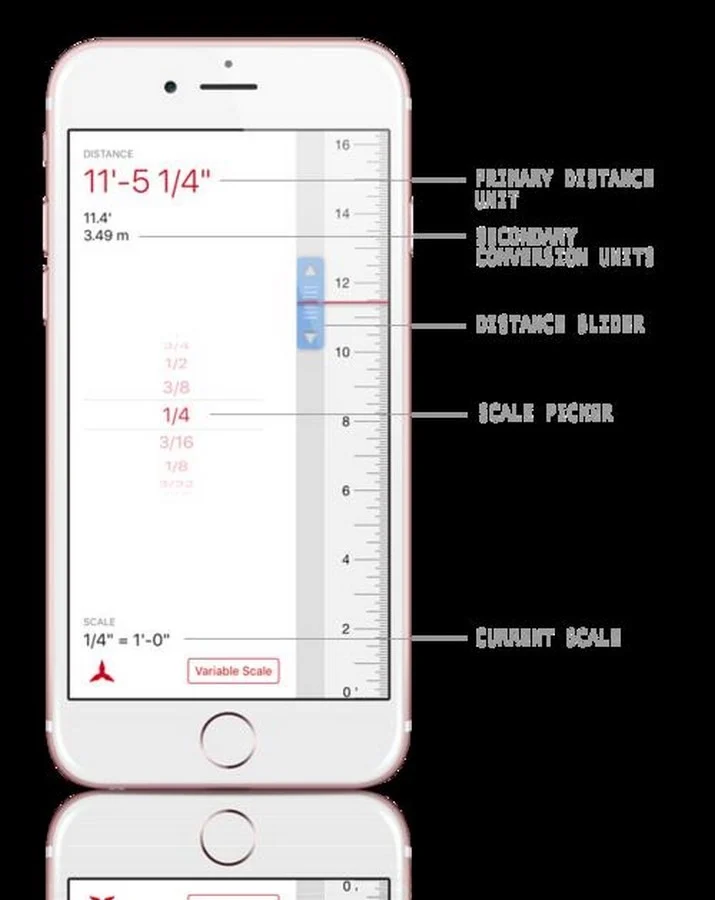
This app simplifies complex measurements, allowing you to accurately measure even when the scale is unknown. It supports fixed, variable, architectural, engineering, and metric scales, and lets you control measurement precision.
Also Read – The Ultimate Guide to Architecture and Design Events Every Architect Should Attend in 2025
Digital Tools in Architecture
The rise of these apps signals a broader shift in architectural education. No longer confined to analogue methods, students now operate in hybrid workflows where hand drawing, digital modelling, and AR/VR coexist. These apps are not mere conveniences but catalysts that expand creativity, efficiency, and communication.
However, it is important to remember that apps are enablers, not substitutes for architectural thinking. As Pallasmaa (2012) warns, architecture risks becoming ocular-centric if technology dominates at the expense of embodied experience. The challenge is to use these tools as companions to critical thought, not replacements.
Takeaway
In my journey as both a student and professional, I have witnessed how mobile apps have democratised architectural practice. They allow young designers to access tools once restricted to advanced labs, levelling the playing field and fostering innovation.
From sketching in Morpholio Trace, modelling in Shapr3D, visualising in ARki, to organising with Notion, these apps collectively redefine the workflow of architecture students. They do not replace the smell of tracing paper or the weight of a physical model, but they add layers of efficiency and creativity unimaginable even a decade ago.
For students navigating the demanding world of architecture school, embracing these apps can transform not just projects but the entire learning experience. The future architect is not only a designer of space but also a curator of tools, and mobile apps have become integral to that toolkit.




Join the discussion